
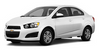
Chevrolet Sonic: Steps for Determining Correct Load Limit
Chevrolet Sonic Owners Manual
1. Locate the statement "The combined weight of occupants and cargo should never exceed XXX kg or XXX lbs." on your vehicle’s placard.
2. Determine the combined weight of the driver and passengers that will be riding in your vehicle.
3. Subtract the combined weight of the driver and passengers from XXX kg or XXX lbs.
4. The resulting figure equals the available amount of cargo and luggage load capacity. For example, if the "XXX" amount equals 1400 lbs. and there will be five 150 lb passengers in your vehicle, the amount of available cargo and luggage load capacity is 650 lbs. (1400-750 (5 x 150) = 650 lbs.) 5. Determine the combined weight of luggage and cargo being loaded on the vehicle. That weight may not safely exceed the available cargo and luggage load capacity calculated in Step 4.
6. If your vehicle will be towing a trailer, load from your trailer will be transferred to your vehicle. Consult this manual to determine how this reduces the available cargo and luggage load capacity of your vehicle.”
This vehicle is neither designed nor intended to tow a trailer.

Example 1
1. Vehicle Capacity Weight for Example 1 = 453 kg (1,000 lbs).
2. Subtract Occupant Weight @ 68 kg (150 lbs) × 2 = 136 kg (300 lbs).
3. Available Occupant and Cargo Weight = 317 kg (700 lbs).

Example 2
1. Vehicle Capacity Weight for Example 2 = 453 kg (1,000 lbs).
2. Subtract Occupant Weight @ 68 kg (150 lbs) × 5 = 340 kg (750 lbs).
3. Available Cargo Weight = 113 kg (250 lbs).

Example 3
1. Vehicle Capacity Weight for Example 3 = 453 kg (1,000 lbs).
2. Subtract Occupant Weight @ 91 kg (200 lbs) × 5 = 453 kg (1,000 lbs).
3. Available Cargo Weight = 0 kg (0 lbs).
Refer to the vehicle's Tire and Loading Information label for specific information about the vehicle's capacity weight and seating positions. The combined weight of the driver, passengers, and cargo should never exceed the vehicle's capacity weight.


Other info:
Chevrolet Sonic. Servicing the Airbag-Equipped Vehicle
Airbags affect how the vehicle should be serviced. There are parts of the airbag
system in several places around the vehicle. Your dealer and the service manual
have information about servicing th ...
Chevrolet Sonic. Menu System
Controls
The Push/MENU/TUNE knob, Push/ MENU/TUNE button, and / BACK button are used to
navigate the menu system.
Push/MENU/TUNE Knob:
Turn to:
Enter the menu system.
Highlight a menu optio ...
Peugeot 208. Leaving cruise control mode
Turn thumb wheel 1 to the "0" position: the cruise control mode is deselected.
The display returns to the distance recorder.
...
Manuals For Car Models
-
 Chevrolet Sonic
 -
 Citroen C3
 -
 Fiat Punto
 -
 Honda Fit
 -
 Mazda 2
 -
 Nissan Micra
 -
 Peugeot 208
 -
 Renault Clio
 -
 Seat Ibiza
 -
 Skoda Fabia
 - Honda Pilot
- Volkswagen ID4
- Toyota Prius
